![Selecting the Best Enterprise Search Software [Features + Vendors]](https://images.gosearch.ai/blog/content/uploads/2023/10/17234328/Blog-Header-3-670x361.png)

Key Takeaways
- Enterprise search software gives employees one permission-aware search across company apps, with AI answers grounded in company content.
- The main differences between platforms are search architecture, connector coverage, security controls, setup effort, and pricing model.
- Ecosystem tools such as Microsoft 365 Copilot, Gemini Enterprise, and Atlassian Rovo fit best when most knowledge lives in one vendor’s suite. Multi-app environments need a cross-platform tool.
What Is Enterprise Search Software?
Enterprise search software lets employees search their company’s apps, files, and messages from one place and returns only results they have permission to see. These platforms are also called enterprise search solutions or enterprise search engines.
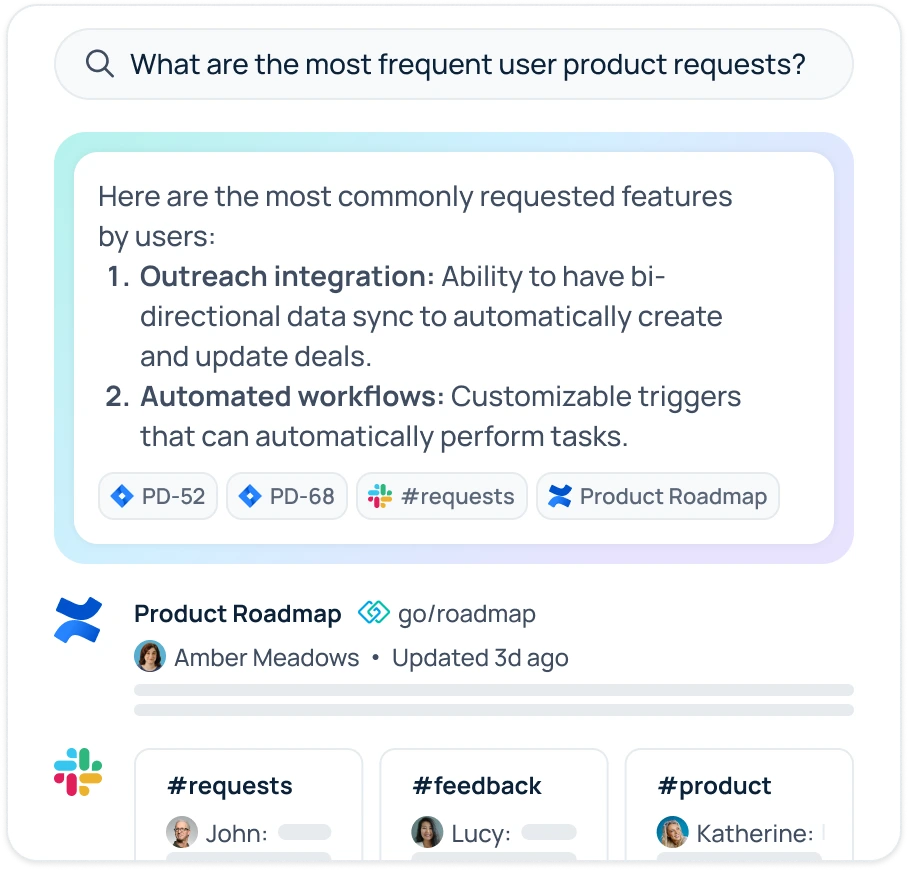
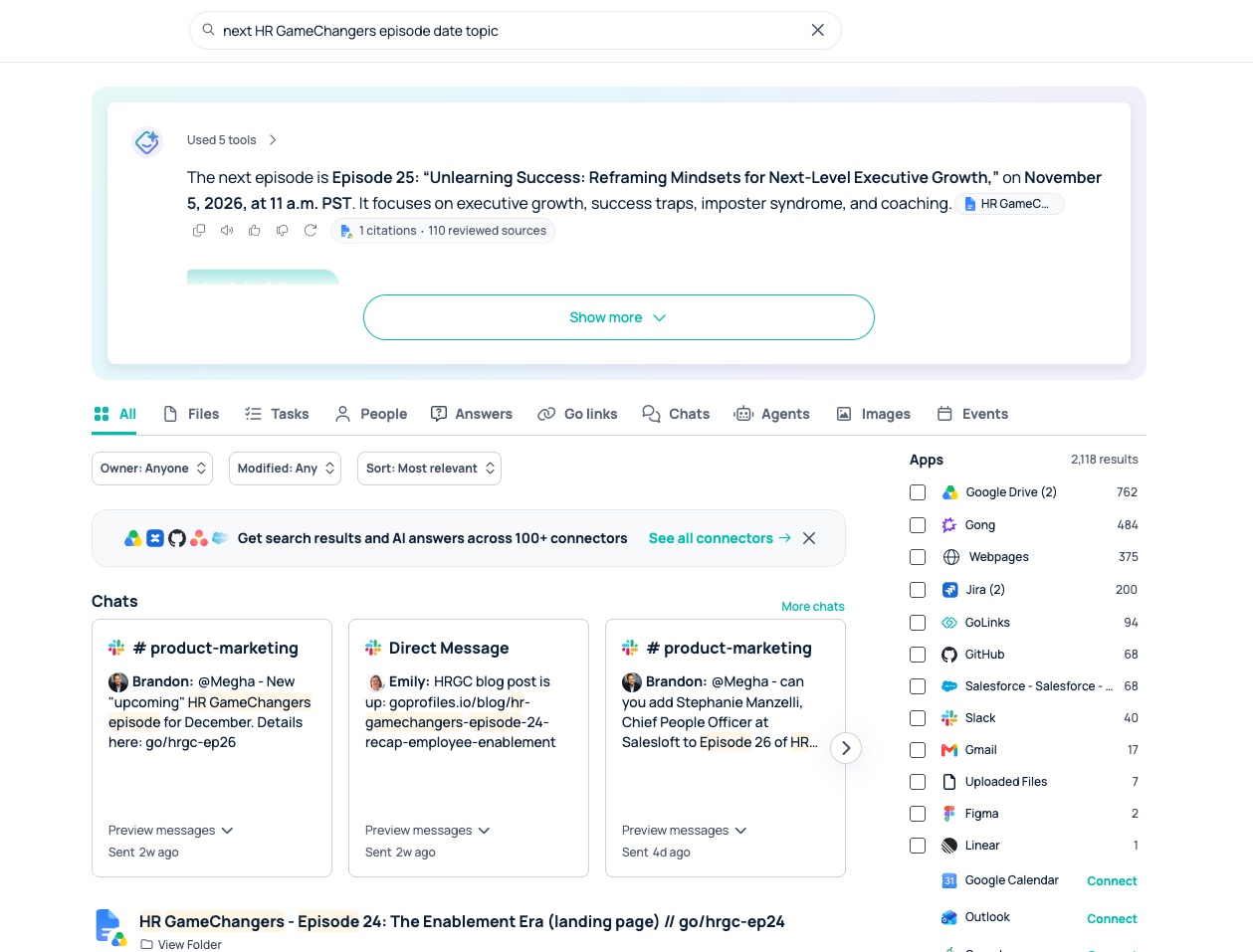
Employees ask one question and get results from Slack, Google Drive, Jira, Confluence, and their CRM at once. Semantic search interprets what they mean, not just the words they type, and retrieval-augmented generation (RAG) grounds an AI answer in company content and links to its sources.
This guide is for IT, operations, and procurement leaders comparing enterprise search platforms in 2026. For a broader look at how the technology works and how to build a business case, see the AI enterprise search guide for IT and knowledge leaders.
How to Choose Enterprise Search Software
Five questions narrow the field:
- Where does your knowledge live? If most of it sits in one suite, such as Microsoft 365, Google Workspace, or Atlassian, that suite’s own tool may be enough. If it spans many apps, look at cross-platform tools.
- How must data and permissions be handled? Map your permission model, data residency and retention rules, and compliance requirements such as SOC 2 or HIPAA.
- Which search architecture fits? Choose indexed, federated, or hybrid search based on how fresh results must be and where your data may be stored.
- Who will run it? Decide whether an admin will configure a turnkey platform or an engineering team will build and maintain search infrastructure.
- How is it priced? Compare published per-user plans, licenses bundled into a suite you already pay for, and custom contracts.
Enterprise Search Software Comparison (2026)
This table compares 12 enterprise search platforms on fit, search approach, integrations, AI features, pricing, and limitations. All details come from vendors’ public materials as of October 2026.
| Platform | Best fit | Search approach | Integrations | AI features | Pricing | Primary limitation |
|---|---|---|---|---|---|---|
| GoSearch | Multi-app teams that want admin-led setup and published pricing | Hybrid: indexes shared knowledge, queries sensitive data live | 100+, incl. Google Drive, Confluence, Jira, Slack | AI assistant, no-code agents, and Workflows | Free $0; Pro $20/user/mo; Enterprise by quote | Fewer analyst reports than older incumbents |
| Glean | Large organizations prioritizing personalized relevance | Indexing-first with live access on select connectors; real-time sync | 275+, incl. native and MCP-based connectors | Agents that take actions across connected systems | By quote | Most connectors index content into the Glean tenant |
| Microsoft 365 Copilot | Organizations standardized on Microsoft 365 | Hybrid: Microsoft Graph index plus synced or federated connectors | Microsoft 365 apps plus Copilot connectors | Copilot Chat across Microsoft 365 apps | $30/user/mo enterprise; $21/user/mo Business (annual) | Requires a qualifying Microsoft 365 plan |
| Gemini Enterprise | Google Workspace-centric organizations | Hybrid: data stores plus federated connectors | Google Workspace, Microsoft 365, Slack, Google Sites | Agents built and run in the Gemini Enterprise app | Business $21/seat/mo; Standard and Plus from $30 | Custom agents require Google Cloud’s developer platform |
| Atlassian Rovo | Jira- and Confluence-heavy teams | Atlassian Teamwork Graph plus third-party connectors | Atlassian apps plus Google Drive, GitHub, Salesforce, Slack | Rovo Search, Chat, and Agents | Included in paid Atlassian Cloud plans, with usage credits | Non-Atlassian coverage depends on connector maturity |
| Guru | Teams that need verified, curated answers | Knowledge base with AI search | 100+, incl. Slack and Chrome | Knowledge Agents that verify and update content | By quote | Results depend on curating a knowledge base |
| Slite | Teams that want cited answers from a verified knowledge base | Knowledge base with AI search; connected-tool search on Pro | 20+, incl. Slack, Google Drive, Confluence | Slite Agent drafts doc fixes for human approval | Basic $10/user/mo; Pro $20/user/mo (annual); Enterprise by quote | Connected-tool search requires Pro |
| Coveo | Enterprises combining workplace, service, and website search | Unified index with hybrid search | Native connectors to a unified index | Automatic relevance tuning and query suggestions | Seat-based for Workplace, by quote | No public pricing |
| Sinequa | Regulated organizations with complex information estates | Indexed, with hybrid neural search | Hundreds, structured and unstructured | RAG assistants with traceable answers | By quote | No public pricing |
| Moveworks (ServiceNow) | ServiceNow-centric IT and HR teams | Conversational assistant with enterprise search | 50+, incl. ServiceNow, Slack, SharePoint, Google Drive | Agentic reasoning engine for IT and HR requests | Through ServiceNow, by quote | Focused on IT and HR service requests |
| Slack enterprise search | Teams that work mostly in Slack | Federated: live queries, no indexing or storage | 13 built-in, incl. Google Drive, SharePoint, Salesforce, Jira; custom connectors via API | AI answers in Slack search | Enterprise+, $45/user/mo (annual); legacy Grid with Slack AI add-on | Search lives inside Slack; 13 built-in sources |
| Notion AI | Teams that run their wiki and docs in Notion | Indexed: stores embeddings of connected-app data; checks permissions at query time | Slack, Google Drive, GitHub, Jira, Microsoft 365, Salesforce, Asana | Cited AI summaries across Notion and connected apps | Business $20/member/mo (search in beta); Enterprise by quote | Permission changes take up to an hour to reach results |
Best Enterprise Search Tool by Environment
Two factors narrow the shortlist fastest: where your company’s knowledge lives and what rules govern your data. Find the row that matches your organization and start there.
| Your environment | Start your shortlist with |
|---|---|
| Many apps from different vendors | GoSearch, Glean, Coveo |
| Microsoft 365 | Microsoft 365 Copilot |
| Google Workspace | Gemini Enterprise |
| Jira and Confluence | Atlassian Rovo |
| Slack | Slack enterprise search |
| Notion | Notion AI |
| ServiceNow for IT and HR service | Moveworks |
| Data must stay in your own cloud or on premises | GoSearch (bring your own cloud), Sinequa, Coveo (hybrid) |
| A regulated industry, such as healthcare or financial services | Sinequa, Coveo (HIPAA Cloud), GoSearch |
| A need for curated, verified answers over broad search | Guru, Slite |
| An engineering team building custom search | Elasticsearch, Lucidworks Fusion, Pinecone |
Which Enterprise Search Tool Is Best for Microsoft 365?
Microsoft 365 Copilot searches Outlook, Teams, SharePoint, and OneDrive natively and respects Microsoft 365 permissions. If your team also relies on Slack, Jira, Salesforce, or Google Drive, compare its connector coverage against a cross-platform tool. See how GoSearch compares with Microsoft Copilot.
Which Enterprise Search Tool Is Best for Google Workspace?
Gemini Enterprise is Google’s workplace AI and search product and works across Google Workspace, Microsoft 365, and other business apps. It includes federated connectors, such as Google Sites, and a Slack integration. See how GoSearch compares with Gemini Enterprise.
Which Enterprise Search Tool Is Best for Financial Services and Healthcare?
Regulated teams should start with deployment control and audit requirements, then compare search quality. Sinequa supports on-premises, private cloud, and hybrid deployment with fine-grained access control and audit trails. Coveo offers a HIPAA Cloud option. GoSearch is SOC 2 Type II certified and supports HIPAA, GDPR, and CCPA requirements. Data sent to LLM providers is never retained or used to train AI models, and the Enterprise plan adds bring-your-own-cloud and LLM key options. See how GoSearch supports compliance in regulated industries.
Should You Build or Buy Enterprise Search?
Most organizations should buy a turnkey platform. Build only when search is part of your own product, or when you have a team ready to own the system long term. For a deeper look, see build vs. buy for enterprise search.
Building on infrastructure such as Elasticsearch or Pinecone means your team owns every layer a turnkey platform already includes:
- Connectors for each app, updated whenever a vendor changes its API
- Permission sync so results match each source’s access rules
- Relevance tuning and, for AI answers, a RAG pipeline that cites sources
- An employee-facing interface in search, chat, and the tools people already use
- Security reviews and maintenance for the life of the system
There is also a middle path. Some platforms expose an API for custom experiences on top of a managed search layer; GoSearch includes one on its Enterprise plan.
Before deciding to build, ask:
- Who will maintain connectors as each app’s API changes?
- How will permissions stay in sync across every source?
- Could a turnkey platform’s API cover the custom features we need?
Leaning toward buying? Book a GoSearch demo or ask about a proof of concept to test it against your own apps and permissions.
Features to Look for in Enterprise Search Software
- Connector coverage. Check for first-party connectors to the apps your teams use most, not the length of the connector list.
- Permission enforcement. Results should reflect source-system permissions at query time, including document-level access.
- Grounded AI answers. Answers should cite and link to source content so employees can verify them.
- Unstructured content. Ask how the platform handles PDFs, scanned documents, slides, and long threads.
- Agents and workflows. Look for agents that act on what a search finds, such as summarizing results, creating tickets, or routing requests without switching tools. For a deeper comparison, see the best AI agents for enterprise search.
- Search analytics. Look for reports on what employees search for, what returns no results, and where content gaps exist.
- Setup requirements. Ask what it takes to run your first permission-aware search: admin-connected connectors, an indexing period, or an engineering build.
Security and Permissions in Enterprise Search
What Is Permission-Aware Search?
Permission-aware search shows each employee only the results they can already open in the source app. The platform reads each source’s access controls and applies them to every query, so search never grants new access.
Platforms enforce permissions in two ways. Indexed platforms copy each source’s permissions into the index and sync changes. Federated platforms query the source live, so the source applies its own permissions at query time. See how GoSearch enforces source permissions.
What Happens to Your Data in an Enterprise Search Platform?
It depends on the architecture. Indexed search stores a copy of your content in the vendor’s environment or your own cloud. Federated search retrieves content at query time without storing a full copy. Before signing, ask each vendor where indexed data lives, how long it is retained, whether your data trains AI models, and whether you can bring your own cloud or LLM keys. For an example of how one vendor documents these answers, see how GoSearch handles SOC 2, HIPAA, GDPR, and CCPA compliance.
Security Comparison
| Platform | SOC 2 | HIPAA | SSO / SCIM | Hosting and data residency |
|---|---|---|---|---|
| GoSearch | Type II | Supported | SSO, SAML, SCIM (Enterprise) | Bring your own cloud: AWS, Google Cloud, Azure |
| Glean | Type II | Yes | SSO | Customer cloud tenant option |
| Microsoft 365 Copilot | Microsoft 365 commitments | Copilot in scope of Microsoft’s HIPAA BAA | Microsoft Entra ID | Data residency commitments; EU Data Boundary |
| Gemini Enterprise | Supported (Standard and Plus) | Supported (Standard and Plus) | Google Cloud identity | Data residency with limits; customer-managed keys in US and EU |
| Atlassian Rovo | Yes | For specific Rovo features | SSO through Atlassian Guard | Atlassian Cloud on AWS |
| Guru | Type II | BAA available | SAML SSO, SCIM | AWS |
| Slite | Type II | BAA on eligible plans | OpenID SSO (Pro), SCIM (Enterprise) | EU-hosted |
| Coveo | Type II | HIPAA hosting environment with BAA | SSO | Hybrid with on-premises systems; bring your own key |
| Sinequa | Not listed (ISO 27001 certified) | Controls to act as a Business Associate | SAML 2.0, OIDC | On-premises, private cloud, or SaaS |
| Moveworks | Type II | Not listed | Not listed | AWS regions in the US, EU, GovCloud, Canada, Australia, UK, and Japan |
| Slack | Type II | Can be configured for HIPAA | SAML SSO (Business+ and Enterprise) | Data residency; Enterprise Key Management |
| Notion AI | Type II | Enterprise plan with BAA | SAML SSO, SCIM (Enterprise) | Not listed |
Indexed vs. Federated vs. Hybrid Search
No architecture is best for every organization. The right choice depends on how fresh results must be, where data may be stored, and how much administration your team can take on.
| Factor | Indexed | Federated | Hybrid |
|---|---|---|---|
| How it works | Copies content into a central index ahead of time | Queries each source live at search time | Indexes some sources and queries others live |
| Result freshness | As current as the latest sync, which some platforms run in near real time | Current at query time | Live for federated sources; latest sync for indexed ones |
| Latency | Fast and consistent | Depends on each source’s API | Fast for indexed sources; API-dependent for live ones |
| Permissions | Copied into the index and synced; some platforms recheck at query time | Applied by the source at query time | Synced for indexed sources; applied live for the rest |
| Data duplication | Full copy stored | No full copy stored | Copies only the indexed sources |
| Relevance tuning | Tunable across all indexed content | Depends on each source’s search API | Tunable across indexed content |
| Administration | Index and permission sync to maintain | Connector and API limits to manage | Both, split by source |
| Examples in this guide | Glean, Sinequa, Notion AI | Slack enterprise search | GoSearch, Microsoft 365 Copilot, Gemini Enterprise |
Questions to ask vendors
- Which of our sources will you index, and which will you query live?
- How quickly do permission changes in a source reach search results?
- Where is indexed content stored, and can we host it in our own cloud?
- What happens to search when a source’s API is slow or rate-limited?
Learn how federated search works and when to choose it.
Top Enterprise Search Software Vendors for 2026
Every profile covers the same seven points, from best fit and limitations to security and pricing, so you can compare vendors side by side. Where a vendor doesn’t publish a detail, the profile notes it.
1. GoSearch
GoSearch is an AI enterprise search platform from GoLinks that searches company apps from one interface and adds an AI assistant, agents, and Workflows. It indexes shared company knowledge and queries personal or sensitive sources live.
- Best for: Multi-app teams that want admin-led setup and published pricing.
- Strengths: 100+ connectors; connecting apps and starting data sync takes minutes; bring your own LLM API keys and cloud; agents and Workflows on the Pro plan.
- Limitations: Fewer third-party analyst reports than older incumbents. SSO/SAML/SCIM, audit logs, and bring your own cloud require the Enterprise plan.
- Integrations: Google Drive, Confluence, Notion, Jira, Coda, HubSpot, Slack, Microsoft Teams, and more. See all GoSearch integrations.
- Security and permissions: SOC 2 Type II certified; supports HIPAA, GDPR, and CCPA requirements; zero data retention with LLM providers (data sent to an LLM is used only to generate the answer and is never retained or used to train AI models); single-tenant architecture; TLS encryption; prompt injection protection; role-based access control; hosted on AWS; published subprocessor list. See GoSearch security.
- Deployment: SaaS, or bring your own AWS, Google Cloud, or Azure environment (Enterprise).
- Pricing: Free at $0; Pro at $20 per user per month; Enterprise by quote. Proofs of concept are available case by case. See GoSearch pricing.

“GoSearch checked all the security and functionality boxes. With other vendors in the space and vendors we evaluated in the POC process, we just didn’t get that same level of confidence.”
-Vernon Clemens, VP of Global Customer Support at Model N
2. Glean
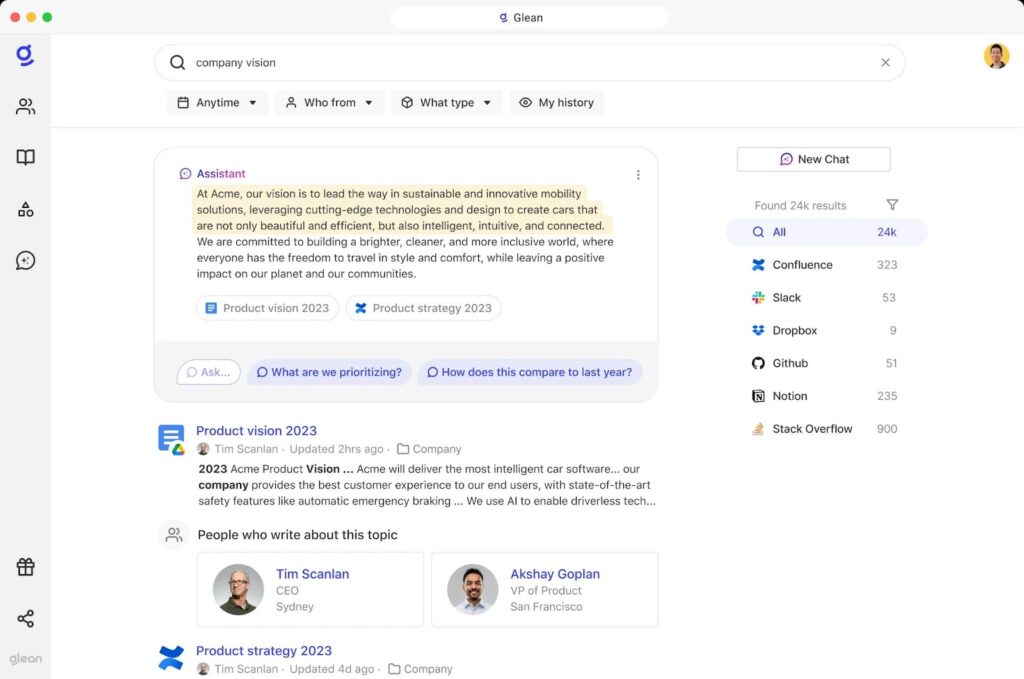
Glean is an AI work assistant and search platform that maps relationships between people, content, and activity to personalize results.
- Best for: Large organizations that prioritize personalized relevance and broad connector coverage and can accept quote-only pricing.
- Strengths: 275+ native and MCP-based connectors; real-time sync of content and permissions; connectors can run indexed, live, or hybrid depending on the source.
- Limitations: No public pricing. Most connectors index content into the Glean tenant, so confirm which of your sources support live access.
- Integrations: 275+ connectors, plus custom sources through the Indexing SDK, MCP servers, and OpenAPI actions.
- Security and permissions: SOC 2 Type II and HIPAA; SSO; audit trail that streams to SIEM; enforces source permissions.
- Deployment: SaaS, isolated tenant.
- Pricing: By quote; Glean doesn’t publish prices. See how Glean pricing works and how GoSearch compares with Glean.
3. Microsoft 365 Copilot
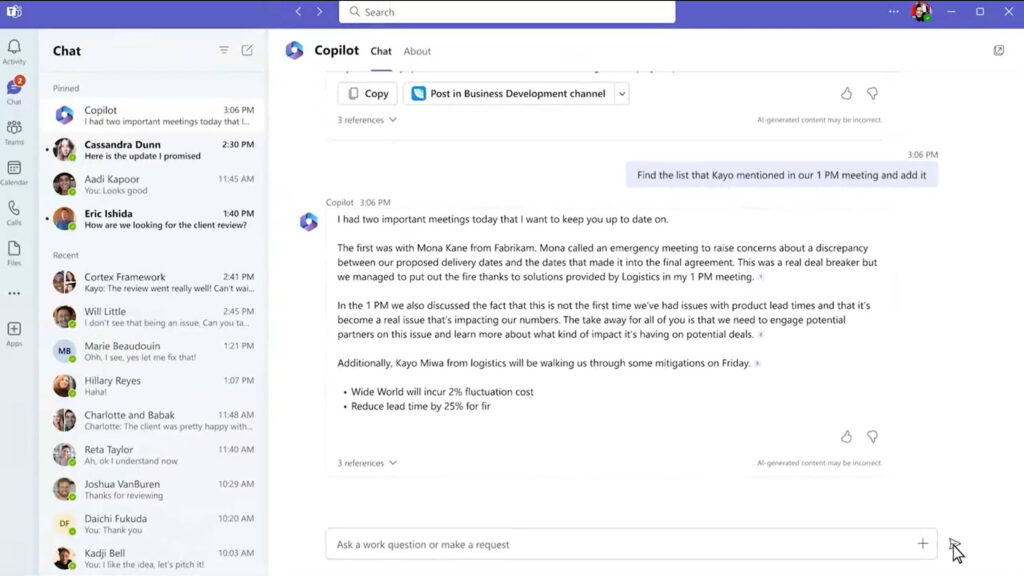
Microsoft 365 Copilot is Microsoft’s AI assistant across Microsoft 365 apps, with search grounded in Microsoft Graph.
- Best for: Organizations standardized on Microsoft 365.
- Strengths: Native search across Outlook, Teams, SharePoint, and OneDrive; uses existing Microsoft 365 permissions; no new vendor to onboard.
- Limitations: Third-party apps require synced or federated Copilot connectors. Requires a qualifying Microsoft 365 plan.
- Integrations: Native Microsoft 365; third-party sources through connectors.
- Security and permissions: Covered by Microsoft 365 compliance commitments, including Microsoft’s HIPAA BAA; Microsoft Entra ID; Microsoft Purview; EU Data Boundary.
- Deployment: Microsoft cloud.
- Pricing: $30 per user per month for enterprises, billed annually. Copilot Business costs $21 per user per month, billed annually. Both are add-ons to a qualifying Microsoft 365 plan. See Microsoft Copilot pricing and GoSearch vs. Microsoft Copilot.
4. Gemini Enterprise
Gemini Enterprise is Google Cloud’s workplace AI platform. Its app lets employees search company knowledge, chat with Gemini, and run agents. Google’s Cloud Search product page now redirects to Gemini Enterprise.
- Best for: Google Workspace-centric organizations.
- Strengths: Works across Google Workspace, Microsoft 365, and other business apps; federated connectors, including Google Sites; Slack integration; data residency for Standard and Plus editions.
- Limitations: Custom agent development runs through Gemini Enterprise Agent Platform, a Google Cloud developer platform.
- Integrations: Google Workspace, Microsoft 365, Slack, and other connectors.
- Security and permissions: SOC 2, HIPAA, ISO 27001, and BSI C5:2020 support on Standard and Plus editions; data residency with limits; customer-managed keys in US and EU regions.
- Deployment: Google Cloud.
- Pricing: Business edition from $21 per seat per month; Standard and Plus editions from $30. See GoSearch vs. Gemini Enterprise.
5. Atlassian Rovo
Atlassian Rovo is the AI layer across Jira, Confluence, and other Atlassian apps, with Rovo Search, Chat, and Agents.
- Best for: Teams that keep most work in Jira and Confluence.
- Strengths: Native Atlassian context through the Teamwork Graph; third-party connectors; included with Atlassian Cloud plans.
- Limitations: Most connectors can link only one workspace per site, which limits coverage for organizations running multiple instances of the same app.
- Integrations: Atlassian apps, plus 30+ admin-configured connectors, including Google Drive, GitHub, Salesforce, Slack, ServiceNow, and Notion, and Smart Link connectors that users add through Rovo Search.
- Security and permissions: SOC 2 and ISO 27001; HIPAA-compliant use for specific Rovo features; SSO through Atlassian Guard; LLM providers don’t store submitted data.
- Deployment: Atlassian Cloud.
- Pricing: Rovo launched in 2024 at $20 per user per month and is now included in Standard, Premium, and Enterprise Atlassian Cloud plans, with monthly usage credits.
6. Guru
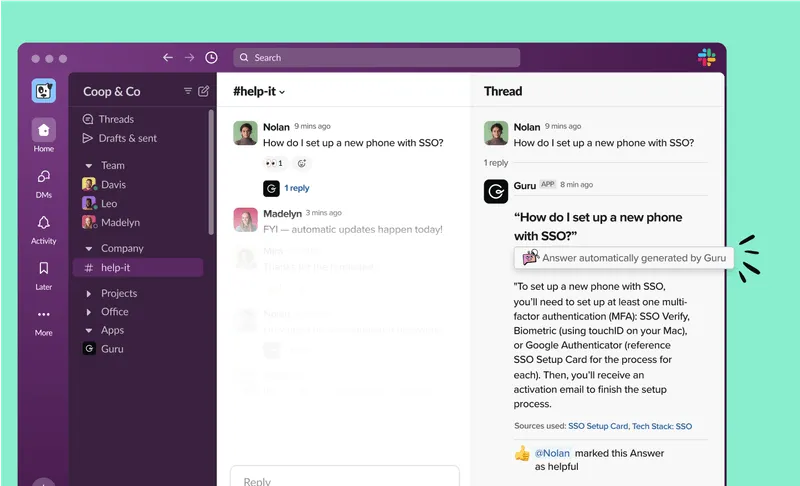
Guru is a knowledge management platform with AI search, content verification workflows, and in-context answers through a browser extension and chat apps.
- Best for: Teams that need verified, curated answers delivered inside their workflow.
- Strengths: 100+ integrations that retrieve information from connected apps; Knowledge Agents that verify and update content; answers in Slack, Chrome, and other workflows.
- Limitations: Built around a verified knowledge base, so results depend on teams curating content. No public pricing.
- Integrations: 100+, including Slack and Chrome.
- Security and permissions: SOC 2 Type II; BAA available for HIPAA; SAML SSO and SCIM; hosted on AWS.
- Deployment: SaaS.
- Pricing: By quote; Guru doesn’t publish prices. See how GoSearch compares with Guru.
7. Slite
Slite is an AI knowledge base with built-in search. Slite Agent answers questions from your docs and connected tools with cited sources, and proposes doc updates when activity in connected tools shows content has gone stale.
- Best for: Teams that want cited answers from a verified knowledge base without manual upkeep.
- Strengths: Cited answers that rank verified docs first; Slite Agent drafts doc fixes for human approval; Custom Assistants, automated digests, and bulk questions; answers in Slack, Chrome, and AI tools such as Claude through MCP.
- Limitations: Search across connected tools and Slite Agent require the Pro plan. Basic limits AI search to Slite docs, at 30 questions per seat per month. No Microsoft Teams integration. Built for team knowledge bases rather than organization-wide search.
- Integrations: 20+, including Slack, Google Drive, Confluence, Notion, SharePoint, Salesforce, HubSpot, and GitHub, plus document embeds such as Figma, Miro, and Loom.
- Security and permissions: SOC 2 Type II; HIPAA with a BAA on eligible plans; GDPR; EU-hosted; permission-aware answers; OpenID SSO on Pro and Enterprise; SCIM and audit logs on Enterprise.
- Deployment: SaaS.
- Pricing: Basic costs $10 per user per month and Pro costs $20, billed annually; Enterprise by quote. 14-day free trial.
8. Coveo
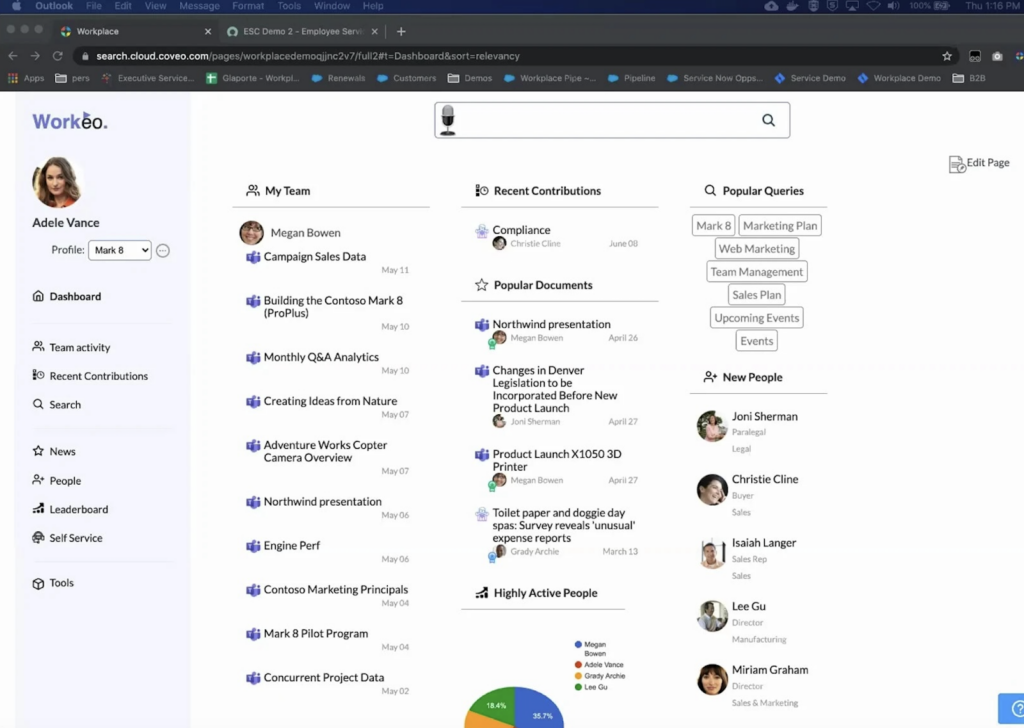
Coveo is an AI search and relevance platform for workplace, customer service, and website search.
- Best for: Enterprises that want one platform for employee, service, and website search.
- Strengths: Unified index with native connectors; hybrid search with automatic relevance tuning; HIPAA Cloud option.
- Limitations: No public pricing. Multi-region hosting is an add-on, and active-active resiliency with 99.999% uptime is available only in the US.
- Integrations: Native connectors to a unified index.
- Security and permissions: SOC 2 Type II and ISO 27001; HIPAA hosting environment with BAA; SSO; document-level permissions; bring your own encryption key.
- Deployment: Cloud-native, with hybrid support for on-premises systems; multi-region hosting as an add-on.
- Pricing: Seat-based plans for Workplace, by quote.
9. Sinequa (by ChapsVision)
Sinequa is an AI enterprise search and RAG platform for large, complex information estates. ChapsVision acquired Sinequa in November 2024.
- Best for: Regulated organizations with large volumes of structured and unstructured content.
- Strengths: Connects hundreds of data sources; hybrid neural search; RAG assistants with traceable answers; no-code configuration for search apps.
- Limitations: No public pricing.
- Integrations: Hundreds of structured and unstructured sources.
- Security and permissions: ISO 27001 certified; controls to act as a HIPAA Business Associate; SAML 2.0 and OIDC; fine-grained access control and audit logs.
- Deployment: On-premises, private cloud, or hybrid.
- Pricing: Custom.
10. Moveworks (ServiceNow)
Moveworks is a conversational AI assistant with enterprise search, focused on IT and HR service. ServiceNow completed its acquisition of Moveworks in December 2025.
- Best for: Organizations running IT and HR service on ServiceNow.
- Strengths: Agentic reasoning engine for resolving IT and HR requests; search tied to service workflows.
- Limitations: Still marketed under its own brand, but purchasing runs through ServiceNow.
- Integrations: 50+ applications, including ServiceNow, Slack, SharePoint, Confluence, and Google Drive.
- Security and permissions: SOC 2 Type II, ISO 27001, and FedRAMP; regional data residency on AWS. HIPAA and SSO are not listed on its security page.
- Deployment: SaaS.
- Pricing: Through ServiceNow; custom.
11. Slack Enterprise Search
Slack enterprise search lets employees search Slack and connected apps from the Slack search bar, with AI answers. It runs federated searches at query time, so Slack does not index or store the connected data.
- Best for: Teams that do most of their work in Slack.
- Strengths: User-level federated search with no indexing or storage; source permissions follow each user; results appear where teams already work.
- Limitations: Search lives inside Slack, with 13 built-in sources compared with 100+ on several dedicated platforms.
- Integrations: Asana, Box, Confluence Cloud, Dropbox, GitHub, Google Drive, Gmail, Jira Cloud, Microsoft Outlook, Microsoft Teams, OneDrive and SharePoint, Salesforce, and Seismic, plus custom connectors built with Slack’s APIs.
- Security and permissions: Each user’s permissions in connected apps apply to their results. SOC 2 Type II; can be configured for HIPAA; SAML SSO; data residency and Enterprise Key Management.
- Deployment: Slack cloud.
- Pricing: Enterprise search is included in the Enterprise+ plan, at $45 per user per month billed annually, and in legacy Enterprise Grid plans with the Slack AI add-on. See how GoSearch compares with Slack’s AI search.
12. Notion AI
Notion AI’s enterprise search answers questions across a Notion workspace and connected apps, with summarized answers that cite their sources.
- Best for: Teams that run their wiki and docs in Notion.
- Strengths: Searches Notion plus connected apps and returns cited summaries; indexes PDFs uploaded to Notion.
- Limitations: Stores embeddings of connected-app data in a vector database, and permission changes can take up to an hour to reach results. Enterprise search is in beta on the Business plan.
- Integrations: Slack, Google Drive, GitHub, Jira, Microsoft Teams, SharePoint, OneDrive, Salesforce, and Asana. Several connectors are in beta on the Business plan.
- Security and permissions: SOC 2 Type II; HIPAA with a BAA, SAML SSO, SCIM, and audit logs on the Enterprise plan.
- Deployment: Notion cloud.
- Pricing: The Business plan costs $20 per member per month, less with annual billing, and includes enterprise search in beta. The Enterprise plan is priced by quote and includes enterprise search in full. See how GoSearch compares with Notion AI.
How Much Does Enterprise Search Software Cost?
Enterprise search pricing follows three models. Most vendors on this list quote enterprise contracts privately, so compare total cost on a quote, not a list price.
Published per-user plans list a monthly price per user, often with a free tier, as GoSearch does. Suite licenses price search as part of a broader product: Microsoft 365 Copilot costs $30 per user per month, Slack Enterprise+ $45, and Notion Business $20, while Atlassian Rovo and Gemini Enterprise also bundle search with their suites. Glean, Guru, Coveo, Sinequa, and Moveworks price by quote, often by seats, data volume, or usage.
Pricing at enterprise scale. Large organizations, such as a 5,000-person company, usually need enterprise features such as SSO, SCIM, and audit logs, which most vendors on this list, GoSearch included, price by quote. To compare fairly, request quotes from each shortlisted vendor using the same seat count, connector list, and security requirements.
When comparing quotes, ask about:
- Minimum seat counts or annual commitments
- Separate charges for connectors, AI usage, or indexed data volume
- Infrastructure or hosting costs, especially for self-hosted deployments
- Whether a proof of concept is available before signing
Can AI Assistants Replace Enterprise Search?
General AI assistants now include enterprise search features, but they work differently from dedicated platforms. They search connected apps inside a chat, while enterprise search platforms build a shared, permission-aware search layer across the whole organization.
| Claude Enterprise | ChatGPT Enterprise | Dedicated enterprise search platform | |
|---|---|---|---|
| How search works | A shared enterprise search project that queries connected sources | “Company knowledge” mode that searches connected apps | A search index, live connectors, or both, across all connected apps |
| Plans | Team and Enterprise | Business, Enterprise, and Edu | Varies by vendor |
| Permissions | Uses each connector’s existing access | Respects existing user permissions | Source-level permission enforcement |
| How employees use it | Inside the enterprise search project; not on mobile apps | Selected per conversation | A search bar, browser extension, chat app, and AI assistant |
| Best for | Teams already standardized on Claude | Teams already standardized on ChatGPT | Organization-wide search across many apps |
Paying for one of these assistants doesn’t mean your organization has enterprise search. Check whether it connects to your most-used apps, works where employees actually search, and applies permissions the way your security team requires. See how GoSearch compares with Claude Enterprise and ChatGPT Enterprise.
Developer Infrastructure and Adjacent Tools
These tools appear in enterprise search results but solve different problems. Each is a reasonable choice in its own category; none is a turnkey workplace search platform.
| Tool | What it is | When it fits |
|---|---|---|
| Elasticsearch | Search and vector database engine. Elastic’s standalone Enterprise Search, Workplace Search, and App Search are not available in Elastic 9.0+ | Engineering teams building custom search |
| Pinecone | Managed vector database | Engineering teams building semantic search or RAG into their own apps |
| Algolia | API-first search for customer-facing apps | Product and ecommerce search |
| AlphaSense | Market and competitive intelligence search across external content | Finance, strategy, and research teams |
| Site Search 360 | Website search | Marketing and web teams |
| Lucidworks Fusion | AI search platform with customizable query and index pipelines; LLM-agnostic; hybrid SaaS | Teams with search expertise building custom workplace, support, or ecommerce search |
Recently Sunset Platforms
- Dashworks: Acquired by HubSpot in April 2025 and discontinued as a standalone product. Former Dashworks users can compare Dashworks alternatives for enterprise search, including platforms that offer the same lightweight setup and cross-app search.
- Qatalog: Acquired by ClickUp, which is folding Qatalog’s search into its own platform.
How We Evaluated Enterprise Search Tools
GoSearch publishes this guide and is one of the platforms it compares. To keep the comparison fair, we assessed every vendor, including GoSearch, on the same criteria using the same type of source: public vendor documentation.
- How vendors were selected: Platforms that buyers and AI assistants most often shortlist for internal workplace search in 2026, plus ecosystem tools from Microsoft, Google, Atlassian, and ServiceNow.
- What we assessed: Search architecture, connector coverage, permission enforcement, security and compliance, agents and workflows, deployment options, and pricing transparency.
- Sources: Vendor product pages, documentation, pricing pages, and release notes, plus acquisition announcements. We did not run hands-on tests of competing products.
- Review date: Vendor details were last checked in October 2026. Details change often, so confirm with each vendor before buying.
Find the Right Fit for Your Stack
If your company’s knowledge spans many apps, GoSearch gives employees one permission-aware search across all of them, with published pricing and a setup your admins can run without an engineering project. Book a GoSearch demo to see it working with your own apps and permissions.
Search across all your apps for instant AI answers with GoSearch
Schedule a demo
Enterprise Search Software: Frequently Asked Questions
What Is Enterprise Search?
Enterprise search lets employees search company apps, files, and messages from one place. Results respect each source’s permissions, and many platforms add AI answers that cite company content.
How Much Does Enterprise Search Software Cost?
Published plans start at $0, and GoSearch Pro costs $20 per user per month. Microsoft, Google, and Atlassian bundle search with their suites, while Glean, Coveo, Sinequa, and others price on a per-quote basis.
How Does Enterprise Search Handle Permissions and Sensitive Data?
Permission-aware platforms show each employee only what they can already open in the source app. Indexed platforms copy content and sync permissions, while federated platforms query each source live and let it apply its own permissions. For regulated industries, federated and hybrid models reduce how much data is copied, and on-premises or bring-your-own-cloud deployment keeps indexed data in your environment.
Is Enterprise Search Different From Knowledge Management?
Yes. Knowledge management covers creating, verifying, and governing content, while enterprise search finds content across every system where it already lives.
Is Enterprise Search the Same as Site Search?
No. Site search helps visitors search a public website, while enterprise search helps employees search internal apps and documents with permission controls.
What Is the Best Enterprise Search Software?
The best enterprise search software depends on where your knowledge lives and how your data must be handled. Microsoft 365 Copilot, Gemini Enterprise, and Atlassian Rovo fit organizations centered on one suite, while GoSearch, Glean, and Coveo fit multi-app environments. Use the comparison table to narrow your shortlist, or see how the top AI enterprise search companies compare by company type.
What Is the Best AI Search Tool for Reducing Time Spent Searching for Documents?
The best tool depends on where your documents live and how much setup your team can handle. GoSearch fits documents spread across many apps: admins connect them without an engineering build, and answers link to their sources. Microsoft 365 Copilot fits documents in SharePoint and OneDrive, Glean fits large enterprises that want personalized results from a knowledge graph, Guru and Slite fit curated, verified knowledge, and Elasticsearch fits teams that can build custom search. Test any tool on real employee searches and measure time to the correct document.