
Many enterprise teams live in Slack. The problem is that the knowledge they need to do their jobs doesn’t — it’s scattered across Confluence, Google Drive, Jira, Salesforce, GitHub, and dozens of other tools. Every time an employee needs to find something, they leave Slack, open another app, search manually, and eventually return with an answer — or give up and ask a colleague.
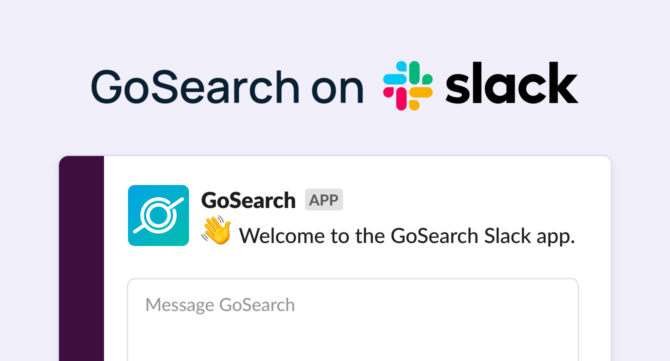
GoSearch solves this by turning Slack into an agentic enterprise search and workflow platform. Teams can search across their entire connected app stack, invoke purpose-built AI agents by name, and trigger multi-app automated workflows — without leaving Slack. It installs in minutes from the Slack Marketplace and works on any Slack plan.
Quick Answer: GoSearch is an agentic enterprise search and workflow platform with a native Slack app. Search across 100+ connected enterprise apps, or invoke a custom AI agent directly with Slack commands. Unlike Slack’s native enterprise search — which is limited to Enterprise+ plan customers and relies on Salesforce’s Agentforce for agent building — GoSearch is available on any Slack plan and includes a no-code agent and workflow builder for every employee.
TL;DR
- Search your full enterprise knowledge base from any Slack channel or DM
- Build no-code AI agents scoped to specific teams, tools, or use cases — no Salesforce required
- Invoke custom AI agents by name, directly in Slack
- Automate multi-app workflows and surface results in Slack channels automatically
- Available on any Slack plan — no Enterprise+ upgrade needed
- Zero LLM data retention, SOC 2 Type II, GDPR, HIPAA, CCPA compliant
Enterprise search and AI agents in Slack: What the options are
The question of how to deploy enterprise search and AI agents inside Slack has multiple answers in 2026. The right one depends on which Slack plan you’re on, whether you run Salesforce, and how much flexibility you need in building and managing agents.
Slack’s enterprise search is a genuine native capability. It searches across Slack conversations, files, and connected third-party apps — Google Drive, Salesforce, Jira, Confluence, GitHub, Notion, and others — from a single AI-powered search bar, returning permission-aware answers in natural language. For teams fully on Enterprise+ with Salesforce infrastructure, it’s a strong built-in option.
Two limitations define where it falls short for a large portion of the market. First, enterprise search in Slack is only available to customers on the Enterprise+ plan — teams on Pro or Business+ don’t have access. Second, building custom AI agents in Slack natively requires Agentforce, Salesforce’s agent platform, which requires a separate Salesforce license and is configured outside of Slack in Salesforce’s Agent Builder. For organizations not running on Salesforce, or teams that need to build, iterate, and deploy agents without enterprise software procurement cycles, this is a significant barrier.
GoSearch is designed for exactly this gap — and adds capabilities beyond what Slack’s native search offers at any plan level.
What GoSearch does inside Slack
Enterprise search across 100+ apps, on any plan
GoSearch connects to more than 100 data sources — including Google Drive, Confluence, Notion, Jira, Salesforce, GitHub, Dropbox, ServiceNow, and more — using real-time federated search, MCP connectors, and selective indexing. Both keyword and semantic search are supported, so queries return exact matches or contextual answers depending on what’s being asked.
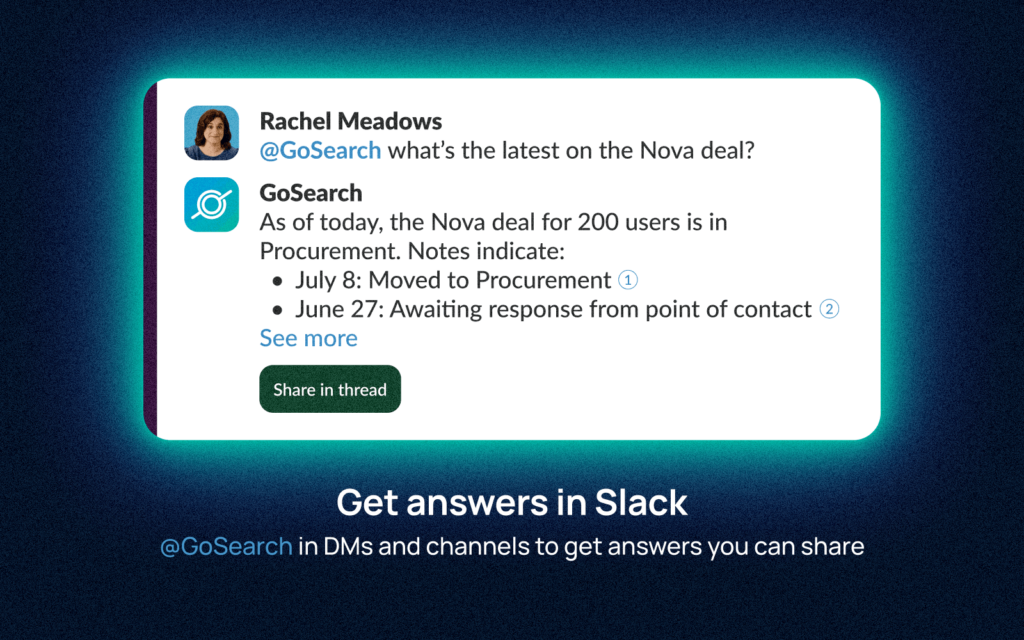
Mention GoSearch in any Slack channel or DM, ask a question in plain language, and GoSearch returns an AI-synthesized answer with source citations pulled from across the connected stack. This works on any Slack plan — Pro, Business+, or Enterprise+.
Example: An account executive types “@GoSearch what’s the latest on the Nova deal?” GoSearch searches across Salesforce, Gong, and Gmail and returns a sourced summary — without anyone opening a separate tab.
Custom AI agents, invoked by name
The most distinctive capability GoSearch adds inside Slack is named agent invocation. Teams can build purpose-built AI agents for specific departments, roles, or workflows in GoSearch’s no-code agent builder, deploy them to Slack, and invoke them directly by command.
Each agent is scoped to defined data sources and instructions. Examples:
- “@GoSearch /itsupport my VPN isn’t connecting” — an IT helpdesk agent grounded in your runbooks, internal documentation, and ticketing system, with the ability to create a Jira ticket automatically
- “@GoSearch /enablement what’s our positioning against Competitor X?” — a sales enablement agent that pulls from battle cards, product documentation, and recent call summaries
- “@GoSearch /hrhelper how many PTO days do I have left?” — an HR agent that answers from your HRIS and policy documentation
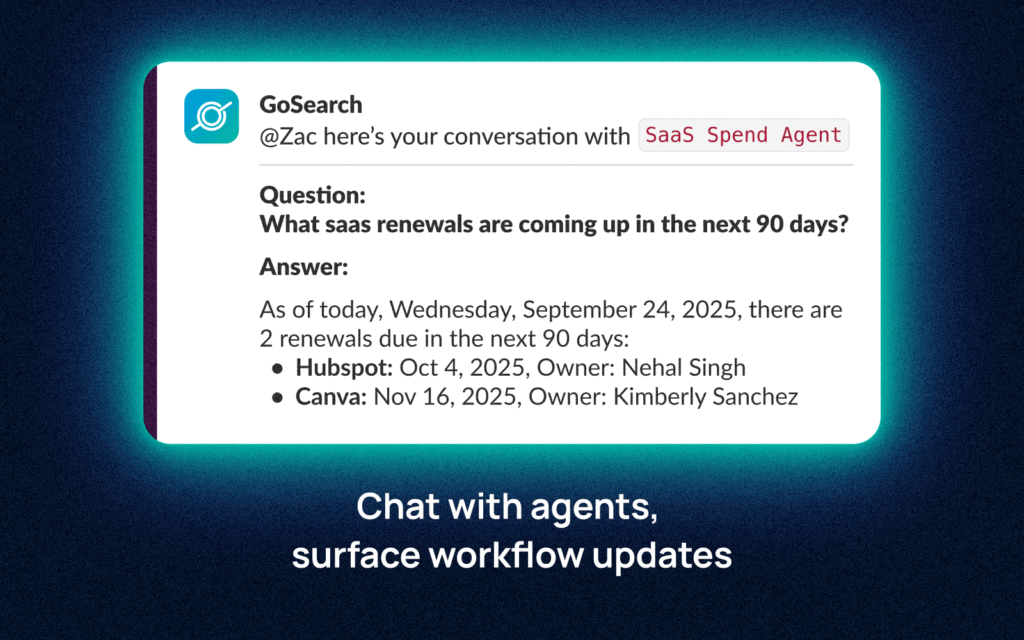
- “@GoSearch /renewals what SaaS renewals are due in the next 90 days?” — a SaaS spend agent surfaces upcoming contract renewal dates and next steps.
No Salesforce license is required. Agents are configured and deployed entirely within GoSearch, and most teams have a working agent deployed within the same session they begin setup.
Multi-app workflow automation surfaced in Slack
GoSearch workflows automate multi-step processes that cross tool boundaries and deliver results into Slack channels without manual intervention. This is distinct from Slack’s native Workflow Builder, which operates within Slack’s own ecosystem — GoSearch workflows orchestrate actions across external systems and report back through Slack.
Common patterns:
- Incident flagged in PagerDuty → GoSearch pulls the relevant runbook from Confluence → Jira ticket auto-created → summary posted to #incidents
- New deal closed in Salesforce → cross-system summary from CRM and Gong data → posted to #revenue
- New employee added in HRIS → onboarding checklist triggered → progress updates pushed to the manager’s Slack DM
GoSearch vs. Slack enterprise search
Both search across connected apps from inside Slack. The differences are in availability, depth, and what happens after the search.
| Slack Enterprise Search | GoSearch for Slack | |
|---|---|---|
| Plan availability | Enterprise+ only | Any Slack plan |
| Connector breadth | Select app connectors | 100+ connectors including MCP integrations |
| Custom agent builder | Via Agentforce (Salesforce license required) | Native no-code builder, no external dependency |
| Multi-app workflow automation | Not included | Full no-code workflow builder |
| Model flexibility | Slack/Salesforce-managed | All major models supported (OpenAI, Anthropic, Gemini) |
| Zero LLM data retention | Slack data governance | Explicit zero-retention policy |
| BYOC deployment | Not available | Available for regulated industries |
Security and compliance
GoSearch is built for organizations where data governance requirements are non-negotiable. All access respects app-level permissions — users only see results from systems they’re authorized to access.
- Zero LLM data retention — no query or response data is retained by any model provider
- SOC 2 Type II — independently audited security controls
- GDPR, CCPA, HIPAA compliant — for regulated industries with appropriate agreements in place
- SSO — Okta, Microsoft Entra ID, Google Workspace, Ping Identity, OneLogin, Rippling, JumpCloud
- SAML supported
- BYOC — deploy GoSearch infrastructure in your own cloud environment for maximum control
How to set up GoSearch in Slack
- Install the GoSearch for Slack App.
Add GoSearch from the Slack Marketplace.
- Connect data sources.
In the GoSearch dashboard, navigate to Connectors and connect the apps your team uses. Most connectors authenticate via OAuth and take under five minutes.
- Invite to channels.
Add @GoSearch to any channel where you want search and agent capabilities available.
- Start searching.
Use @GoSearch [question] for an AI-generated answer in channel, or /gosearch [query] to search and share a resource directly.
- Build a custom agent (optional).
Open the GoSearch no-code agent builder, configure the agent’s data sources and instructions, and deploy to Slack. Invoke with @GoSearch /[agentname].
- Add workflows (optional).
In the GoSearch workflow builder, define cross-system automation sequences and set a Slack channel as the notification destination.
Who GoSearch for Slack is built for
IT teams running service desks who want to deflect tickets by surfacing AI-powered answers in Slack before a ticket is ever opened — and close the ones that do come in faster by giving agents access to the full runbook library.
Engineering teams who need to pull context from GitHub, Jira, Confluence, and PagerDuty into the channels where incidents and standups already happen.
HR and People teams who want employees to get policy answers, PTO lookups, and onboarding guidance in Slack without routing every question through HR.
Sales teams who need deal context, competitive intel, and enablement content surfaced in deal channels on demand.
Enterprise and regulated industry teams who require deployment control, compliance certifications, and zero-retention data governance that supplements Slack’s native capabilities.
Get started
Slack is where enterprise work happens. The gap has always been that the knowledge fueling that work lives everywhere else. Slack’s native enterprise search closes part of that gap — but only for Enterprise+ customers, and only within the boundaries of Salesforce’s ecosystem for anyone who wants to build agents.
GoSearch closes the rest of it. Any team, on any Slack plan, can search across their full connected stack, deploy custom AI agents scoped to exactly the workflows they need, and automate the multi-app processes that currently require manual effort and tab-switching.
For organizations that need enterprise-grade security, deployment control, and compliance certifications alongside that flexibility, GoSearch is built to meet those requirements without compromise.
To see a walkthrough of enterprise search, custom agent deployment, and workflow automation for your team’s specific stack, schedule a demo with the GoSearch team.
Already a GoSearch customer? Connect Slack from your Integrations dashboard.
Search across all your apps for instant AI answers with GoSearch
Schedule a demo
Frequently Asked Questions
GoSearch is an agentic enterprise search and workflow platform that installs as a native Slack app. It lets teams search across 100+ connected enterprise apps from Slack, invoke custom AI agents by name, and automate multi-app workflows — all without leaving Slack.
Slack’s enterprise search is a strong option for Enterprise+ customers — but it’s plan-restricted, and building custom agents requires Salesforce’s Agentforce platform. GoSearch works on any Slack plan, supports a broader connector set, and includes a no-code agent builder with no Salesforce dependency. It also adds named agent invocation and multi-app workflow automation, which Slack’s native search doesn’t include.
Yes. Many teams use both. Slack’s native search handles in-Slack content queries; GoSearch extends coverage to a broader app stack, adds custom agents, and adds cross-system workflow automation.
Yes, GoSearch invokes custom AI agents in Slack. Each agent is scoped to specific data sources and instructions — an IT support agent, a sales enablement agent, an HR policy agent, and so on. Teams can build and deploy as many agents as needed without engineering resources or a Salesforce license.
No. GoSearch works on any Slack plan. Slack’s own enterprise search feature, by contrast, is limited to Enterprise+ customers.
Yes. GoSearch enforces zero LLM data retention — no query or response data is stored by any model provider. The platform is SOC 2 Type II certified, GDPR and CCPA compliant, and HIPAA-eligible. User permissions from all connected apps are respected, so results are always scoped to what each person is authorized to see.